
The platform provides assistance in searching for and participating in Russian tenders for foreign contractors. To view tenders, go to the Tenders tab in the main menu.
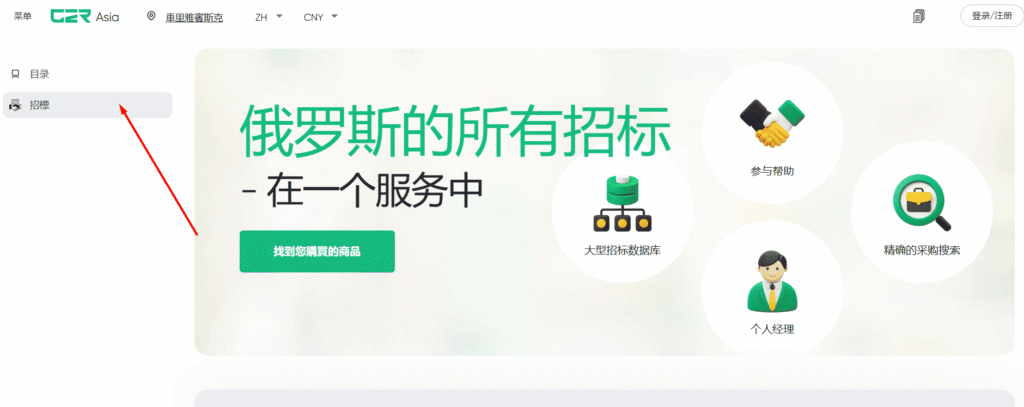
In the window that appears, you will see a list of tenders. A convenient search by name, delivery region, category, and type will help you find the tender you need.
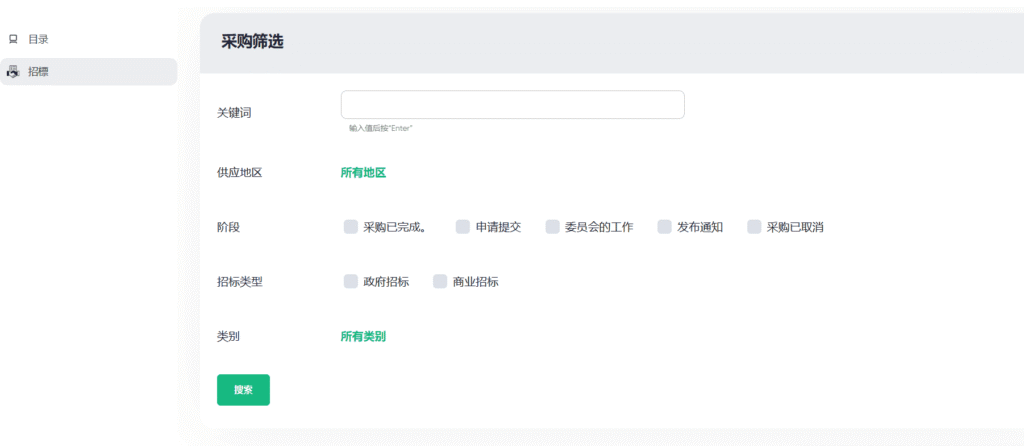
Instructions: How to Submit an Application to Participate in a Tender on the Website
This step-by-step guide will help you quickly and accurately submit an order application to participate in a tender procurement.
Step 1. Find a suitable tender
- Use the search or filters to find the tender you are interested in.
- Click on the tender name — the tender card with full procurement information will open.
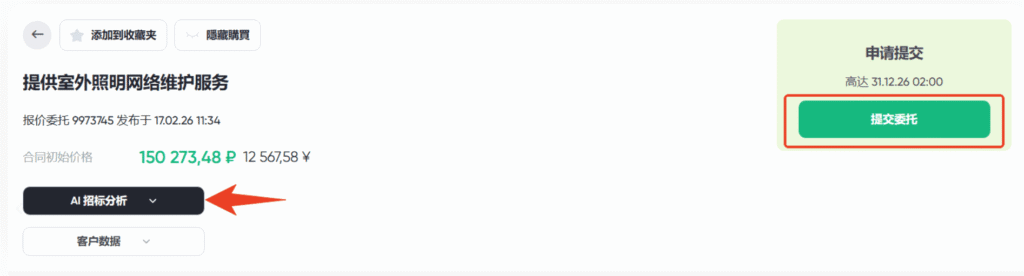
💡 For your convenience, the tender card features a new function — «AI Tender Analysis». It saves time and helps you quickly assess the viability of a procurement without studying all the documentation in detail. The artificial intelligence automatically processes the full tender documentation package and extracts the most important information from it.
Step 2. Place an order
- In the tender card, find the green «Place an Order» button.
- Click the button — the system will automatically create Order Application № 0001.
💡 Important! After clicking the button, the application is created instantly. Wait for the system confirmation (this usually takes a few seconds).
Step 3. Start communicating with the manager in the chat
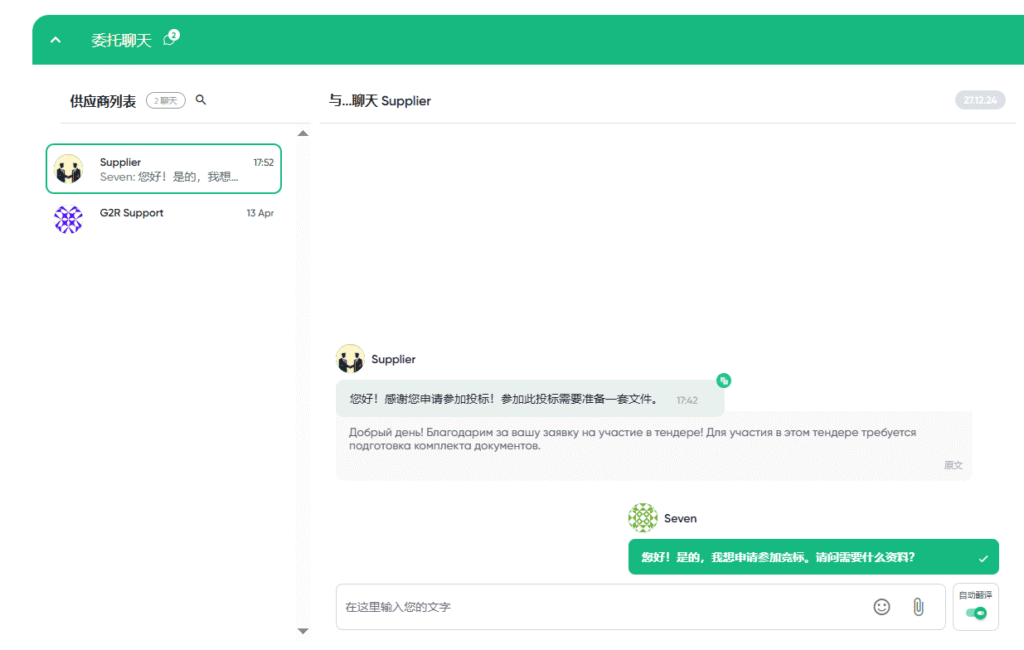
After the application is created, a chat with the G2R client manager will automatically appear in the Order Application interface.
In the chat with the manager, you can:
- discuss the details of participating in the tender;
- clarify document requirements and the application submission procedure;
- promptly receive answers to all questions;
- exchange documents — upload scans, PDF files, and other materials directly in the chat;
Step 4. Provide the necessary data and documents
At the manager’s request, prepare and send via chat:
- company bank details;
- documents confirming compliance with the tender requirements (certificates, licences, etc.);
- other documents specified by the manager.
Agree the final version of the application with the manager before submitting it to the tender platform.
Step 5. Track the application status
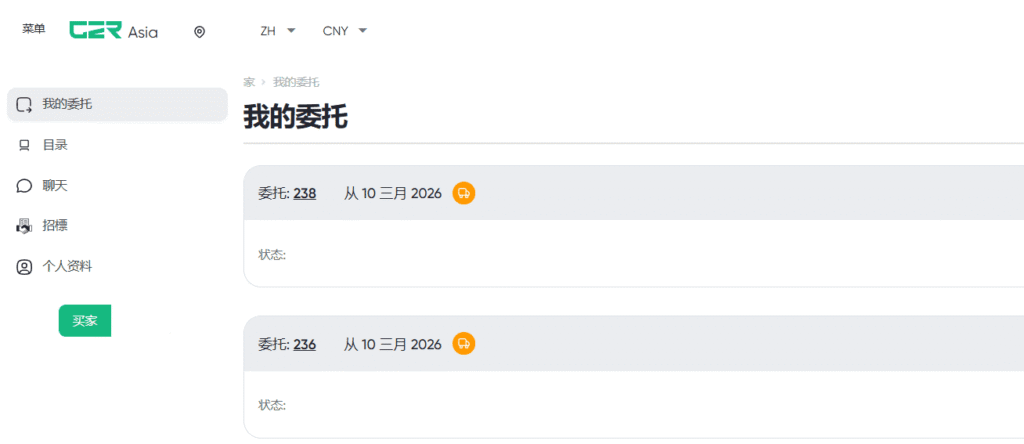
You can check the status of the «Order Application» in your personal account:
- go to the «My Orders» section;
- find Order Application № ******;
- review the current status (for example: «In Processing», «Under Review», «Cancelled»).
When the application status changes, you will receive a notification:
- by email;
Please note that an Order Application does not constitute a transaction until you agree to the final calculations.
Enjoy working on the G2R platform! We make international trade more convenient!
How to Become a Supplier on G2R Asia
If you are interested in participating in Russian tender procurement or selling your goods to Russia, you will need to complete standard registration first and then become a supplier by filling in information about your company.
To do this, complete steps 1–4 from the previous section.
Step 6. After you have registered as a supplier, you will be prompted to fill in information about your company. Enter the company name, registration number, and country. Be sure to describe your company: the industry you operate in, how many years you have been on the market, and who you provide your services/goods to. In the last field, enter the company’s bank details for participation in transactions.
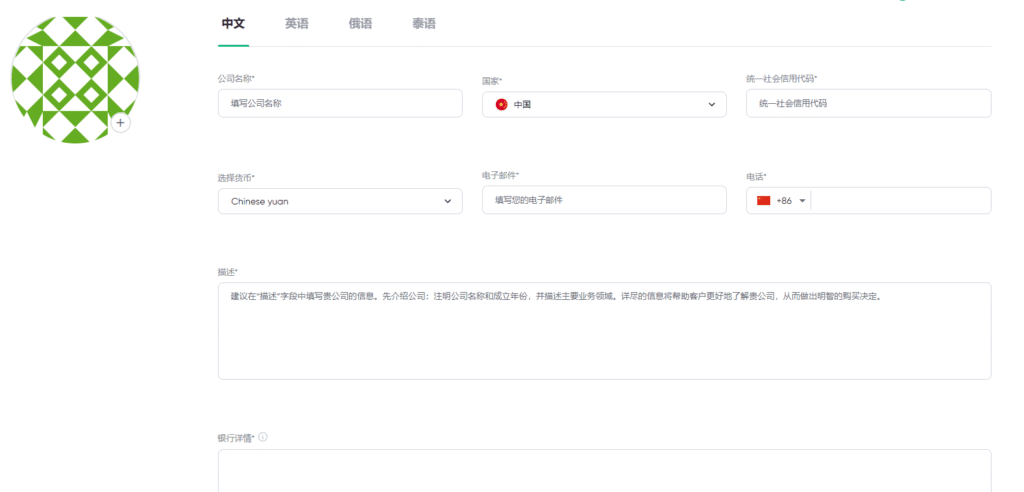
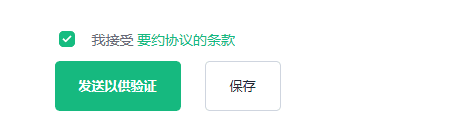
After filling in the required information, tick the box confirming that you agree to the terms of the offer agreement and submit your profile for moderation.
Our specialists will verify the company information and confirm your profile. Initially, your company status will be — Under Moderation (your profile is still being reviewed).
If your company passes the review, the status will change to «Approved». After that, you can use the services on our website.